




Getting to Know Cadillac Infotainment System
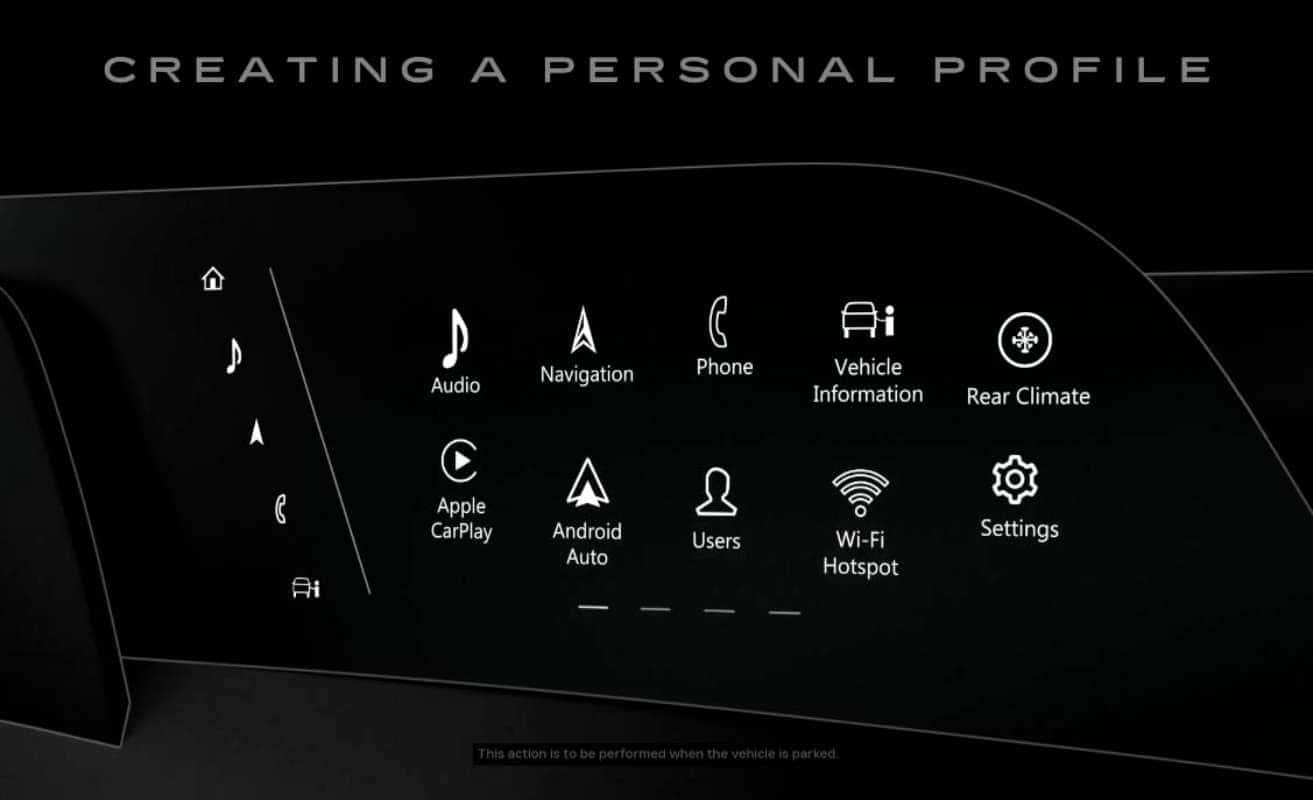
The infotainment system was designed to be intuitive and efficient to use just like using your smartphone or tablet. It’s the place to find a range of features that keep you entertained and help you drive with more confidence.
Press the Home button on the instrument panel at any time to go to the Home screen. You’ll see functions like Climate controls, Phone and Audio, all displayed like apps on a phone screen and then select vehicles with an eligible connected services plan. You can also access your favorite in-vehicle streaming apps right from your center display. You can swipe left and right to view additional apps or rearrange the icons by tapping and holding an app icon until it pulses, then dragging and dropping it to a new location. And the functions you use the most are all located right here, front and center in the app tray.
When an indicator appears, simply tap the phone icon to view your notification. You can also customize your preferences to create a more personalized experience. Just tap the User’s icon from the home screen, followed by Add user profile and then Create profile. Accept all the terms, then tap, Continue. Now enter your full name, then hit Next. You’ll be given the option to link your profile to a key fob and finally enter your account email and password. If you skip this step, you can continue with a guest profile, but your settings won’t be saved for next time.
Once you’ve created your personal profile, your profile will recall your recent navigation and route preferences, sound settings, the way you like to see your home screen and your vehicle’s comfort and convenience settings. Your personal profile can even be attached to one key fob for each GM vehicle with a compatible infotainment system so you can access the same settings.
To do this, keep the key fob in your vehicle while creating your profile, making sure it’s the only key fob in the vehicle during the process. Once you’ve signed into your personal profile, radio, display, sound, speed and audio preferences will all be displayed, as well as favorites like points of interest and addresses. And you can even personalize your infotainment system including radio preferences from outside your vehicle using myCadillac Mobile App, so you can stay seamlessly connected wherever you go.
0 comment(s) so far on Getting to Know Cadillac Infotainment System